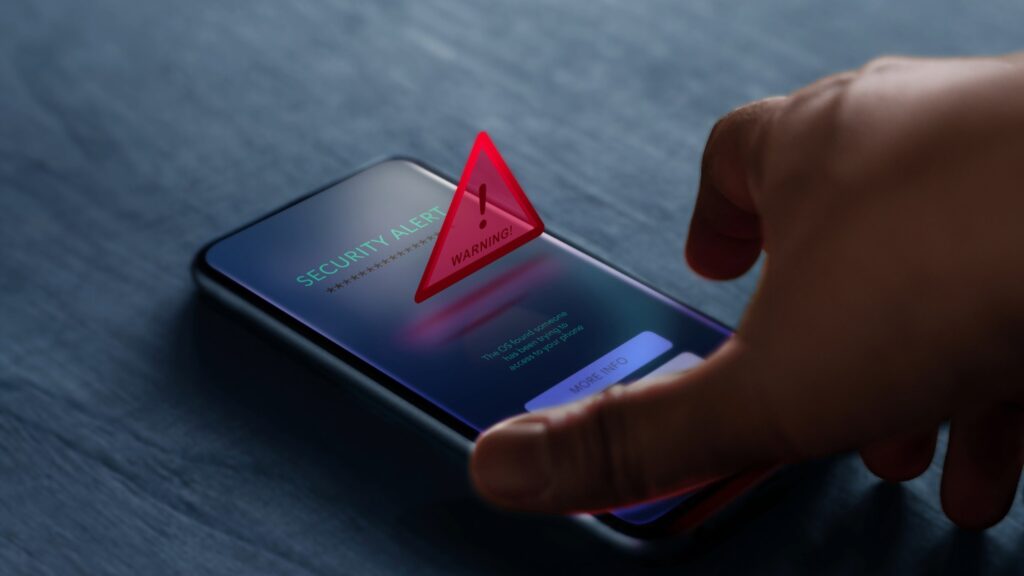
Knowing how to know if your phone is hacked is more important than ever: smartphones hold banking apps, passwords, photos, and location data that make them prime targets. The signs are often subtle and easy to dismiss as normal device behavior. Figuring it out means looking for a specific combination of symptoms — unexpected battery drain, high unexplained data usage, unfamiliar apps, and strange outgoing messages are the clearest indicators. This guide covers ten signs and exactly what to do if you find them.
Sign 1: Unexpected Battery Drain
If your battery drains significantly faster than usual without any change in usage habits, malicious software running in the background may be responsible. Spyware, stalkerware, and remote access trojans maintain constant connections to remote servers, consuming processing power and battery continuously. Battery drain is one of the most common early signs. Check your battery usage in Settings and look for unfamiliar apps consuming high percentages in the background.
Sign 2: Unusually High Mobile Data Usage
Malware that monitors your activity or exfiltrates data needs to send that data somewhere. A sudden unexplained spike in mobile data usage, especially from apps you do not use frequently, is a strong indicator that something on your phone may be phoning home. Check your data usage per app and look for consumption amounts inconsistent with how often you use them. If you want to identify exactly which processes are sending data, monitoring your home network traffic can expose unusual background connections.
Sign 3: Apps You Did Not Install
Finding applications you do not recognize is one of the clearest signals of compromise. If you scroll through your installed apps and see something you never downloaded, your phone may be compromised. Some malware installs additional apps after gaining access, while others arrive through malicious links or fake update prompts. Unknown apps with system-level permissions are particularly concerning.
Sign 4: Strange Outgoing Messages or Calls
If contacts report receiving strange links or unusual messages from your number, or if you notice outgoing calls you did not make, someone else may be controlling your device. Some types of malware send phishing messages from infected phones to spread further. Check your sent messages, call log, and email sent folder regularly for activity you do not recognize, outgoing activity you did not initiate is one of the strongest warning signs.
Sign 5: Device Overheating Without Heavy Use
Phones heat up during intensive tasks like gaming or video streaming. If your phone runs hot while idle or during light use, background processes may be running at full capacity, characteristic of cryptocurrency mining malware or resource-heavy spyware. Sustained heat during standby is not normal and warrants investigation.
Sign 6: Slow Performance and Frequent Crashes
Malware consumes RAM, CPU, and storage resources. If your phone has become noticeably slower, apps crash more frequently, or the operating system shows lag that was not present before, the device may be under load from malicious processes. This is especially significant if the decline coincided with installing an app or clicking a suspicious link.
Sign 7: Camera or Microphone Indicator Lighting Up Unexpectedly
Modern iOS and Android phones display an indicator when the camera or microphone is active. If you see this indicator without having opened any app that would use it, a malicious app may be accessing these sensors in the background. Review which apps have camera and microphone permissions and revoke access for anything that does not clearly need it.
Sign 8: Pop-Up Ads in Unexpected Places
Aggressive pop-up ads appearing outside of the browser, on your home screen or within other apps, indicate adware is installed. While adware is generally less dangerous than spyware, it confirms your phone has been compromised by a potentially unwanted application, often installed through a third-party app store or bundled download. Browser-based adware follows the same pattern on desktop — see how browser hijackers work for a closer look at that behaviour.
How to Confirm and Remove a Hack

To confirm beyond the visual symptoms, run a security scan with a reputable app. Malwarebytes for Android is free and reliable. On iPhone, check for suspicious profile configurations in Settings > General > VPN and Device Management and remove any profiles you did not install. On Android, boot into safe mode to check whether suspicious behavior stops, if it does, a third-party app is responsible. Change all important passwords from a clean device, enable two-factor authentication, and contact your bank if financial apps were installed on the compromised device.
Phone Hacking Symptoms: Signs vs Likely Causes
| Symptom | Likely Cause | Urgency |
|---|---|---|
| Battery draining 2x faster than usual | Background malware / spyware | High |
| Unexplained 500MB+ data spikes | Data exfiltration malware | High |
| Apps you did not install | Trojan or compromised download | High |
| Contacts report strange messages from you | Account takeover or messaging malware | Critical |
| Phone hot while idle | Crypto mining malware or RAT | High |
| Camera/mic indicator on unexpectedly | Spyware or stalkerware | Critical |
| Frequent app crashes / slowdowns | Malware consuming resources | Medium |
| Pop-up ads on home screen | Adware from third-party app | Medium |
Conclusion
Knowing how to know if your phone is hacked is the first step in protecting your personal data, finances, and privacy. The warning signs are rarely obvious individually; it is the combination of two or more symptoms appearing at the same time that should trigger immediate action. If you identify signs that your phone may be compromised, do not wait: run a security scan, change your passwords from a different device, and review your financial accounts. The average victim of mobile device compromise takes weeks to notice. Early detection is the difference between a recoverable incident and a serious breach.
Related Articles
- How to Monitor Network Traffic at Home: 5 Free Ways
- DNS Server Not Responding: 8 Fixes That Actually Work
Clicked something suspicious first? See what to do after a phishing attack.