Every time you type a web address into your browser, a hidden process runs in milliseconds, translating that human-readable domain name into a numerical IP address your device can actually use. That process is DNS: the Domain Name System. Without it, you’d need to memorize IP addresses like 93.184.216.34 instead of simply visiting example.com.
This guide explains exactly how DNS works, step by step, from stub resolver to authoritative nameserver, grounded in the RFC standards that define the protocol.
What Is DNS?
DNS stands for Domain Name System. It is a hierarchical, distributed naming system that maps human-readable domain names (such as techlym.com) to machine-readable IP addresses (such as 88.223.84.75). Think of it as the internet’s phone book, except it’s distributed across thousands of servers worldwide, operates in milliseconds, and handles hundreds of trillions of queries every day.
The system was designed by Paul Mockapetris at the University of Southern California’s Information Sciences Institute and standardized in 1987 through two foundational documents: RFC 1034 (“Domain Names, Concepts and Facilities”) and RFC 1035 (“Domain Names, Implementation and Specification”). These RFCs remain the bedrock of DNS to this day, nearly 40 years later, the core protocol is essentially unchanged.
Before DNS, network hosts were mapped in a single text file called HOSTS.TXT, manually maintained and periodically downloaded from a central server at Stanford. As the internet grew from hundreds to millions of hosts, this approach became completely unscalable. DNS was designed specifically to replace it with a distributed, delegated, and automatically updated system.
How DNS Works: The 7-Step Resolution Process
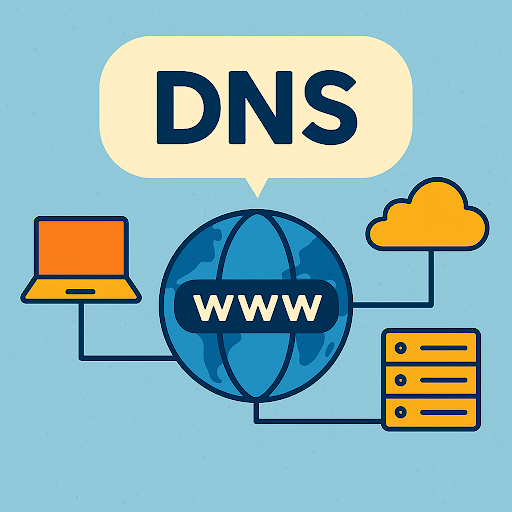
When you type techlym.com into your browser and press Enter, the following sequence unfolds, typically completing in under 100 milliseconds on a cold cache:
Step 1: Browser Cache Check
Your browser first checks its own DNS cache. If it has recently resolved the domain and the cached record hasn’t expired (determined by its Time-to-Live, or TTL), it uses that cached IP address immediately and skips all further steps.
Step 2: Operating System Cache Check
If the browser has no valid cached record, it passes the query to the operating system. Windows manages this through the DNS Client service; macOS and Linux use systemd-resolved or nscd, depending on distribution. If the OS cache has a valid record, the lookup ends here.
Step 3: Query the Recursive Resolver
With no cached answer available locally, your device sends a DNS query to a recursive resolver, also called a recursive DNS server or full-service resolver. This is typically provided by your ISP, or you can configure a public resolver such as Cloudflare’s 1.1.1.1, Google’s 8.8.8.8, or Quad9’s 9.9.9.9.
The recursive resolver’s job is to do the heavy lifting: it queries other DNS servers on your behalf, following the delegation chain from root to authoritative nameserver, and returns the final answer to your device.
Step 4: Query the Root Name Servers
If the recursive resolver doesn’t have the answer cached, it begins the resolution chain by querying one of the 13 DNS root name servers (identified as a.root-servers.net through m.root-servers.net).
The root server doesn’t know the IP address of techlym.com, but it knows which TLD name servers are authoritative for .com domains. It returns a referral to those servers.
Step 5: Query the TLD Name Servers
The recursive resolver now queries the appropriate Top-Level Domain (TLD) name server, in this case, the .com TLD servers operated by Verisign. The TLD server responds with the address of the authoritative name server registered for techlym.com.
Step 6: Query the Authoritative Name Server
The recursive resolver queries the authoritative name server for techlym.com. This server holds the definitive, official DNS zone records for the domain. It returns the requested record, for a standard webpage request, that’s the A record mapping the domain to its IPv4 address.
Step 7: Response Delivered and Cached
The recursive resolver returns the IP address to your device. Both the resolver and your OS cache the record for the duration of its TTL. Your browser then opens a TCP connection to the web server at that IP address, and the page loads.
The full 7-step chain takes 20–120 milliseconds on a cold cache. With a warm recursive resolver cache, DNS resolution takes a single round-trip, often under 10 milliseconds.
The Four Components of DNS Resolution
| Component | Role |
|---|---|
| Stub Resolver | Built into your OS; sends queries and caches results locally |
| Recursive Resolver | Queries other DNS servers on your behalf; provided by ISP or public DNS service |
| TLD Name Server | Knows the authoritative nameservers for every domain in its zone (.com, .net, etc.) |
| Authoritative Name Server | Holds the actual DNS zone records for a specific domain; the final authority |
Recursive Resolvers vs. Authoritative Name Servers
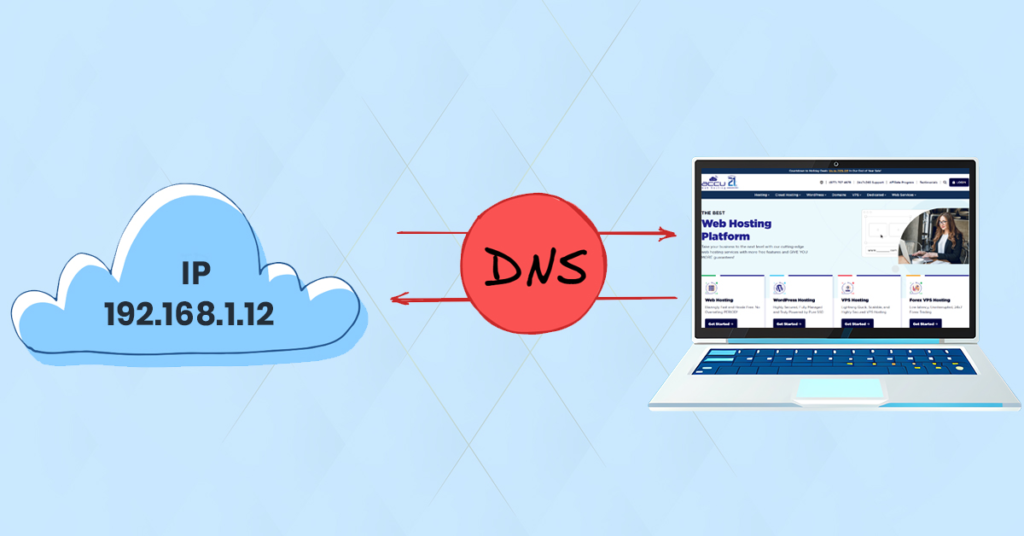
This distinction is one of the most commonly confused concepts in DNS:
- A recursive resolver is an intermediary. It receives queries from stub resolvers and iteratively queries other DNS servers to find answers. It caches results to speed up future queries.
- An authoritative name server is the final authority. It holds the original source DNS zone records for a specific domain and answers queries with definitive information. It does not recurse.
When you configure 1.1.1.1 as your DNS server in Windows Settings, you’re pointing your stub resolver at Cloudflare’s recursive resolver. When your domain registrar asks you to set nameservers for your domain, you’re specifying authoritative nameservers.
The 13 DNS Root Servers: More Than Meets the Eye
There are exactly 13 DNS root server identifiers, labeled a through m (a.root-servers.net to m.root-servers.net). This number isn’t arbitrary. The original DNS protocol limited DNS messages to 512 bytes over UDP, enough space for exactly 13 IPv4 addresses in a referral response.
However, “13 root servers” is widely misunderstood. As of 2026, those 13 identifiers are backed by approximately 1,959 physical server instances distributed globally across all six populated continents, using a routing technique called IP anycast. With anycast, multiple physical machines share the same IP address, and your query is automatically routed to the geographically nearest instance.
Root servers are operated by 12 different organizations, including ICANN, Verisign, the U.S. Army Research Laboratory, and RIPE NCC. The root zone itself, the master list of all TLDs and their authoritative nameservers, is managed by IANA (the Internet Assigned Numbers Authority), a function of ICANN.
DNS Caching and Time-to-Live (TTL)
DNS caching is what makes the system practical at global scale. Without caching, every DNS lookup would require the full 7-step resolution chain, creating unsustainable load on root and TLD servers worldwide.
Every DNS record carries a TTL, a value in seconds specifying how long a resolver is permitted to cache that record. Once the TTL expires, the resolver must re-query to get fresh data.
| TTL Value | Duration | Typical Use |
|---|---|---|
| 60–300 | 1–5 minutes | Active migrations, frequent changes |
| 3,600 | 1 hour | Balanced for most records |
| 86,400 | 24 hours | Stable records (MX, NS) |
| 604,800 | 7 days | Very stable, rarely changed records |
Key practical implication: If you’re planning to migrate a website or change hosting, reduce your TTL to 300 seconds at least 48 hours before making the change. This ensures that once you update your A record, resolvers worldwide see the new IP within minutes rather than waiting up to 24 hours for cached records to expire.
DNS Record Types at a Glance
DNS records are the data entries stored in authoritative nameserver zones. Each record type serves a specific function:
| Record | RFC | Purpose |
|---|---|---|
| A | RFC 1035 | Maps a hostname to an IPv4 address |
| AAAA | RFC 3596 | Maps a hostname to an IPv6 address |
| CNAME | RFC 1035 | Alias from one hostname to another canonical name |
| MX | RFC 1035 | Specifies mail servers for the domain |
| TXT | RFC 1035 | Arbitrary text; used for SPF, DKIM, DMARC, domain verification |
| NS | RFC 1035 | Delegates a zone to authoritative nameservers |
| PTR | RFC 1035 | Reverse lookup: maps an IP address to a hostname |
| SOA | RFC 1035 | Start of Authority; zone metadata including serial number and timing |
| SRV | RFC 2782 | Service location for protocols like SIP and XMPP |
| CAA | RFC 8659 | Specifies which CAs may issue SSL/TLS certificates for the domain |
You can inspect all of these records live for any domain using our free DNS Lookup Tool, which queries A, AAAA, MX, TXT, CNAME, NS, and PTR records in real time, with automatic detection of SPF, DKIM, and DMARC configurations.
DNS and Security: What the Protocol Was Never Built For
DNS was designed in 1987 for reliability and scalability, not security. The protocol sends all queries as plaintext over UDP port 53, with no encryption and no authentication. Any network observer between your device and the resolver can see every domain you query.
This design has led to well-documented attack classes:
- DNS Cache Poisoning: A malicious actor injects a false DNS record into a resolver’s cache, redirecting users to fraudulent servers. Dan Kaminsky’s 2008 disclosure revealed a fundamental protocol flaw making this attack practical at scale against nearly every resolver in use at the time.
- DNS Hijacking: An attacker redirects DNS queries, often by compromising a home router or ISP, to a rogue resolver that returns manipulated results.
- DNS Amplification (DDoS): Open resolvers are abused to reflect and amplify UDP traffic toward a victim, exploiting the asymmetry between small query packets and large DNS responses.
Three modern defenses address these threats:
- DNSSEC (RFC 4033–4035): Digitally signs DNS records using public-key cryptography, allowing resolvers to verify record authenticity and detect tampering.
- DNS over TLS (DoT, RFC 7858): Encrypts DNS queries over a dedicated TLS connection on TCP port 853.
- DNS over HTTPS (DoH, RFC 8484): Encrypts DNS queries inside standard HTTPS traffic on port 443, making them indistinguishable from ordinary web requests.
For a complete reference on DNS record types, protocol details, and security extensions, visit our DNS Protocol Reference.
Troubleshooting Common DNS Errors

Understanding the DNS resolution chain makes troubleshooting systematic. Most DNS failures fall into four categories:
- NXDOMAIN (RCODE 3): The authoritative server confirmed the domain does not exist. Causes: typo in the URL, deleted or expired domain, missing DNS record in the zone.
- SERVFAIL (RCODE 2): The recursive resolver failed to complete the query. Common causes: broken DNSSEC configuration, unreachable authoritative nameserver, or a network failure mid-chain.
- REFUSED (RCODE 5): The server declined the query due to policy, common with public resolvers blocking private IP ranges or known malicious domains.
- Propagation Delay: After changing a DNS record, cached records persist across resolvers until their TTL expires. Lowering TTL before the change, not after, is the correct mitigation.
If you’re seeing a “DNS Server Not Responding” error on Windows or macOS, our guide covers 8 proven fixes for DNS server not responding errors. For changing which DNS server your system queries, see how to change your DNS server on Windows 11.
Frequently Asked Questions
Who invented DNS and when?
Paul Mockapetris designed DNS in 1983 and published the formal standards as RFC 1034 and RFC 1035 in November 1987. Before DNS, every connected machine on the ARPANET relied on a manually maintained text file called HOSTS.TXT, downloaded periodically from the Stanford Research Institute. As the network grew, this became completely unworkable.
How many DNS queries happen per day?
Cloudflare alone processes approximately 4.3 trillion DNS queries per day across its global resolver network. The global total across all DNS infrastructure is estimated in the hundreds of trillions of queries daily.
Why are there exactly 13 root server identifiers?
The original DNS protocol limited UDP responses to 512 bytes, enough space for exactly 13 IPv4 addresses in a referral response packet. The “13” refers to 13 identifier labels (a through m), not 13 physical machines. Today those identifiers are backed by nearly 2,000 physical anycast instances distributed worldwide.
What is DNS propagation and how long does it take?
DNS propagation is the time required for an updated DNS record to spread to resolvers worldwide. It’s bounded by TTL: once a cached record expires, the resolver fetches the updated version. With a 86,400-second (24-hour) TTL, propagation can take 24–48 hours. With a 300-second TTL set in advance, most resolvers update within minutes of the change going live.
What is the difference between a CNAME and an A record?
An A record maps a hostname directly to an IPv4 address. A CNAME record maps a hostname to another hostname (the canonical name), which is resolved further. Important constraint: a CNAME record cannot coexist with any other record type at the same name, which is why placing a CNAME at the zone apex (the root domain itself, e.g., techlym.com) is not permitted under standard DNS rules.
Summary
DNS is one of the foundational protocols of the modern internet, invisible in normal operation, immediately noticeable when something goes wrong. The 7-step resolution chain, browser cache → OS cache → recursive resolver → root server → TLD server → authoritative nameserver → response delivered, runs automatically on every new domain lookup, typically completing in under 100 milliseconds.
Key takeaways:
- DNS translates domain names to IP addresses via a hierarchical, delegated resolution chain
- Caching at every layer (browser, OS, recursive resolver) is what makes the system fast and globally scalable
- TTL controls how long cached records remain valid, always reduce it before DNS migrations
- The 13 root server identifiers are backed by ~2,000 physical anycast instances, far more resilient than the count implies
- DNS was not designed for security; DNSSEC, DoT, and DoH address the gaps
Use our free DNS Lookup Tool to query any domain’s live DNS records, the fastest way to verify a configuration or diagnose a resolution issue.