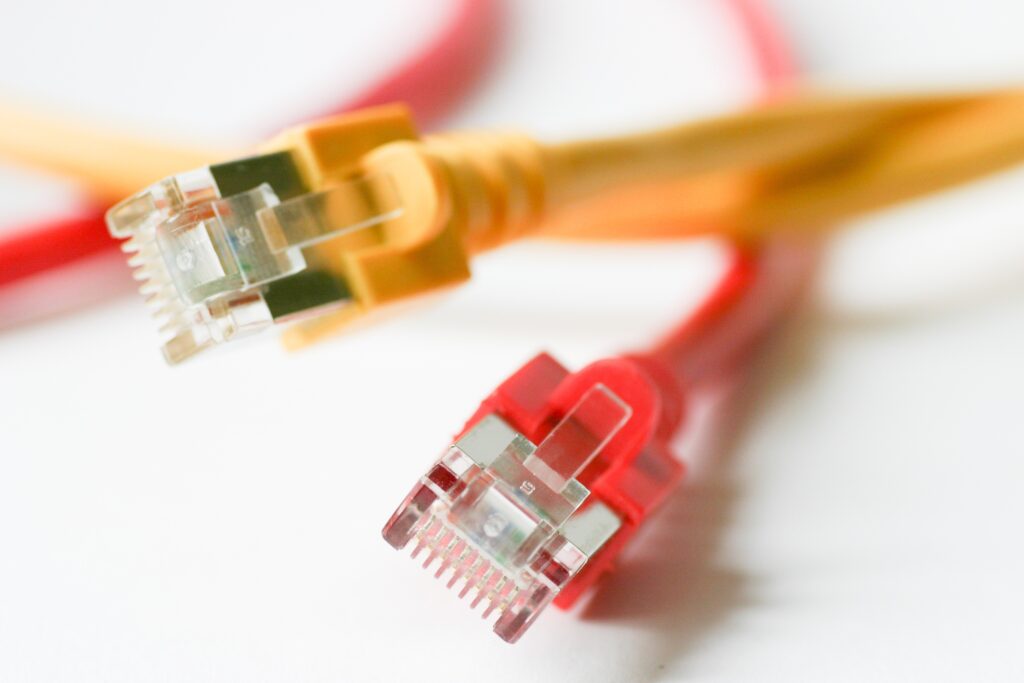
A crossover cable is an Ethernet cable wired in a specific way to allow two same-type devices to connect directly without a switch or router in between. It does this by reversing the transmit and receive wire pairs inside the cable, so each device can actually “hear” the other. This guide covers everything: what it is, how it works, when you need one, and how it compares to a standard patch cable.
What Is a Crossover Cable?
A crossover cable looks identical to a standard Ethernet patch cable from the outside. The difference is entirely internal: the wire pairs at each end are arranged differently. One end follows the T568A standard and the other follows T568B, which causes the transmit (TX) wires on one end to align with the receive (RX) wires on the other.
This internal swap is what makes it work for direct device-to-device connections. Without it, two computers or two switches trying to communicate would both “talk” on the same wire and neither would “listen.”
How a Crossover Cable Works
In standard networking, a switch or router handles the reversal of TX and RX signals automatically. When you remove that middleman and connect two devices of the same type directly, both try to transmit on pins 1 and 2 while expecting to receive on pins 3 and 6 causing a collision and no communication.
This cable solves that by physically swapping those pairs internally:
- Pin 1 (TX+) on one end connects to Pin 3 (RX+) on the other end
- Pin 2 (TX−) on one end connects to Pin 6 (RX−) on the other end
- Pin 3 (RX+) on one end connects to Pin 1 (TX+) on the other end
- Pin 6 (RX−) on one end connects to Pin 2 (TX−) on the other end
The result: each device transmits on wires the other uses to receive, enabling two-way communication without any network hardware in between.
Crossover Cable Wiring: T568A vs T568B
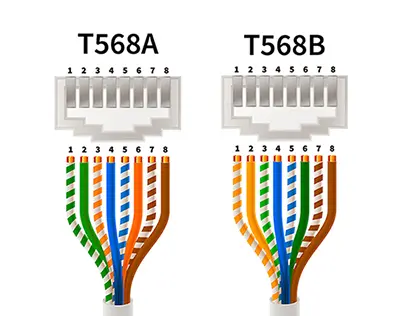
A crossover cable uses both wiring standards at once: one end is crimped to T568A and the other to T568B. This is the defining characteristic that separates it from a straight-through patch cable. The TIA-568 standard defines both wiring schemes used here.
| Pin | T568A (End 1) | T568B (End 2) |
|---|---|---|
| 1 | White/Green | White/Orange |
| 2 | Green | Orange |
| 3 | White/Orange | White/Green |
| 4 | Blue | Blue |
| 5 | White/Blue | White/Blue |
| 6 | Orange | Green |
| 7 | White/Brown | White/Brown |
| 8 | Brown | Brown |
The critical swap is between the orange pair (pins 1-2) and the green pair (pins 3-6). Pins 4, 5, 7, and 8 remain the same on both ends.
Ethernet Crossover Cable: The Most Common Type
When people refer to a crossover cable in modern networking, they almost always mean an Ethernet crossover cable a twisted-pair cable with RJ-45 connectors used for local area network connections. These come in Cat5e, Cat6, or Cat6a versions.
An Ethernet crossover cable is physically identical to a standard patch cable and uses the same RJ-45 connectors. The only way to identify it without a tester is to hold both ends side by side and compare the wire color order if pin 1 is a different color on each end, you have a crossover.
Crossover Cable vs Patch Cable
| Feature | Crossover Cable | Patch Cable (Straight-Through) |
|---|---|---|
| Wiring | T568A on one end, T568B on the other | T568B on both ends (or T568A on both) |
| Use case | Device to device (PC to PC, switch to switch) | Device to network hardware (PC to switch) |
| Works with Auto-MDI/MDIX | Yes (but not required) | Yes |
| Identification | Different wire order on each end | Same wire order on both ends |
| Common jacket color | Often red or yellow | Blue, gray, white, yellow |
When Do You Need a Crossover Cable?
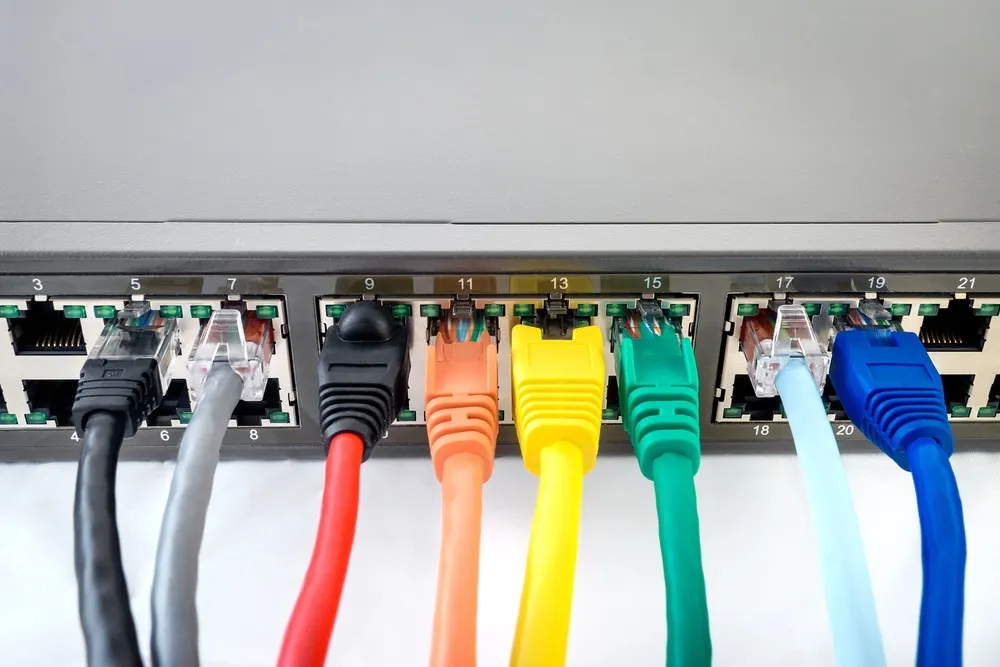
These cables are used whenever you connect two devices of the same type directly, bypassing network infrastructure:
- PC to PC file transfer: Connect two computers directly to transfer large files at full gigabit speed without a network
- Switch to switch cascading: Link two unmanaged switches together without using an uplink port
- Router to router: Direct WAN or lab connections between two routers
- Legacy console access: Access older Cisco routers, switches, and networking devices via console or management ports
- Network lab environments: Build isolated test networks without additional hardware
Does Auto-MDI/MDIX Replace Crossover Cables?
Most network devices manufactured after 2010 support Auto-MDI/MDIX (Automatic Medium-Dependent Interface Crossover). This feature detects the cable type and adjusts the internal TX/RX configuration automatically meaning a regular patch cable works even for direct device-to-device connections on modern hardware.
However, a crossover cable remains necessary for:
- Legacy networking equipment without Auto-MDI/MDIX support
- Industrial devices and embedded systems with fixed port configurations
- Situations where you need a guaranteed, non-negotiated direct connection
- Network certification labs and training environments
Cat5e vs Cat6 Crossover Cables
These cables are available in all standard Ethernet categories. The category determines the maximum supported speed and bandwidth:
- Cat5e crossover cable: Supports up to 1 Gbps at 100 MHz. Adequate for most direct PC-to-PC transfers and legacy equipment
- Cat6 crossover cable: Supports up to 10 Gbps at short distances (up to 55 meters), 1 Gbps beyond that. Better shielding reduces crosstalk. Recommended for modern setups
- Cat6a crossover cable: Supports 10 Gbps at up to 100 meters. Overkill for most use cases but useful in lab environments
For most direct-connect applications today especially PC-to-PC Cat5e is sufficient. If you are cascading switches or working in a 10GbE lab, Cat6 is the better choice.
How to Identify a Crossover Cable
There are two reliable ways to identify one:
- Visual inspection: Hold both RJ-45 connectors side by side with the clip facing down. Look at pin 1 (leftmost wire). If the colors differ between the two ends, it is a crossover. On a patch cable, the wire order is identical on both ends.
- Cable tester: A basic continuity tester will show the pin mapping. A crossover maps pin 1-3, 2-6, 3-1, 6-2 instead of 1-1, 2-2, 3-3 on a straight-through.
Many manufacturers sell crossover cables with a distinctive red or yellow jacket to avoid confusion with patch cables, but this is not a universal standard.
How to Make a Crossover Cable
You can make one from bulk Cat5e or Cat6 UTP cable with two RJ-45 connectors and a crimping tool. The process is identical to making a patch cable, except you use T568A on one end and T568B on the other.
- Cut to the desired length and strip about 1.5 inches of the outer jacket from each end
- Untwist and arrange the wires in T568B order on one end: White/Orange, Orange, White/Green, Blue, White/Blue, Green, White/Brown, Brown
- Trim wires to the same length, insert into the RJ-45 connector, then crimp
- On the other end, arrange in T568A order: White/Green, Green, White/Orange, Blue, White/Blue, Orange, White/Brown, Brown
- Trim, insert into the RJ-45 connector, and crimp
- Test with a cable tester to confirm the 1-3, 2-6 crossover mapping
Frequently Asked Questions
Can I use a crossover cable instead of a patch cable?
On devices with Auto-MDI/MDIX support (most modern equipment), yes it will work in place of a patch cable and the device adjusts automatically. On older or fixed-configuration equipment, using the wrong type results in no connection.
Do crossover cables work at gigabit speeds?
Yes. A Cat5e or Cat6 crossover cable supports gigabit speeds (1000BASE-T) the same as a standard patch cable of the same category. The wiring swap does not reduce performance.
How do I know if my device needs a crossover cable?
If your device’s port does not have Auto-MDI/MDIX support (check the datasheet or manual) and you are connecting it directly to another same-type device, you need one. Devices with Auto-MDI/MDIX auto-negotiate regardless of cable type.
Is a crossover cable the same as a rollover cable?
No. A rollover cable (also called a Cisco console cable) reverses all 8 pins pin 1 to pin 8, pin 2 to pin 7, and so on. It is used exclusively for console access to Cisco devices, not for Ethernet data connections.
Related Guides
Want to go deeper on specific topics covered in this guide?