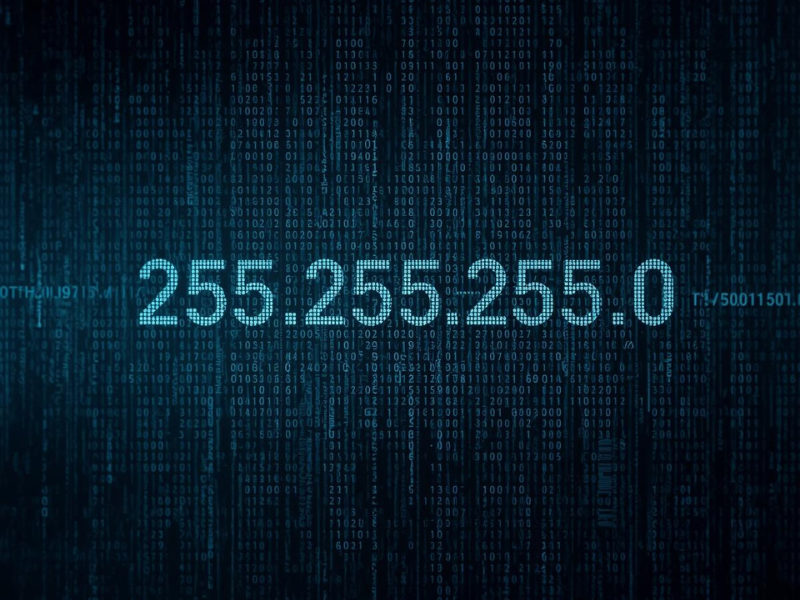
What Is 255.255.255.0?
At its core, 255.255.255.0 tells a network which part of an IP address identifies the network itself and which part identifies individual devices. The idea is similar to how a city and street number work in a physical address. Imagine an address like this: 742 Evergreen Terrace, Springfield The city name tells you the general area. The street and house number identify the exact home. IP addresses work similarly. For example: 192.168.1.25 A subnet mask explained simply separates the “city” part from the “house” part. With the mask 255.255.255.0, the first three sections identify the network: 192.168.1 The final number identifies the device: 25 That means all devices with addresses like these are on the same local network:- 192.168.1.5
- 192.168.1.23
- 192.168.1.89
Why Subnet Masks Exist
Without subnet masks, every device on a network would try to talk to every other device directly. Every device connected to the internet has an IP address, but not every device should communicate with every other device directly. Subnet masks create boundaries. They tell your computer one important thing: Is this device on my local network, or somewhere else on the internet? Here’s what happens in practice. When your laptop sends data to 192.168.1.10, it checks the subnet mask. Because the address matches the same network range defined by 255.255.255.0, your laptop sends the data directly. But if the destination is 8.8.8.8 (Google’s DNS server), the address is outside the local network. The request gets sent to your router instead. Without subnet masks, devices wouldn’t know when to talk directly and when to go through a router.How 255.255.255.0 Is Used in Real Networks
The mask 255.255.255.0 is extremely common in home and small office networks. Most consumer routers automatically assign IP addresses like these:- 192.168.1.2
- 192.168.1.14
- 192.168.1.108
- Laptops
- Smart TVs
- Streaming devices
- Security cameras
- Smart speakers
Why This Specific Number Works
The number 255.255.255.0 looks strange until you realize it represents a pattern in binary. Computers don’t actually see it as decimal numbers. They see something like this: 11111111.11111111.11111111.00000000 Each 1 means “this part identifies the network.” Each 0 means “this part identifies a device.” So the mask divides the address exactly after the third section. In simple terms, the mask tells devices where the network ends and where individual devices begin. Because the last section contains eight bits, it allows up to 256 possible values. Two are reserved for technical reasons, leaving 254 usable device addresses.Default Subnet Mask and Why You See It Often
For many local networks, 255.255.255.0 acts as the default subnet mask. Routers choose it automatically because it works well for small networks. That’s why when you check network settings on:- Windows
- macOS
- Android
- iOS
Common Myths About Subnet Masks
A common myth is that 255.255.255.0 is an IP address. It isn’t. IP addresses identify devices, while subnet masks describe the structure of the network. Another misunderstanding is that changing the subnet mask improves internet speed. It doesn’t. Internet speed depends on your ISP, router, and connection quality. Some people also assume every network uses the same mask. In reality, larger organizations often use different subnet masks to divide networks into smaller segments.Why Should You Care?
Most people never need to manually configure a subnet mask. Your router handles that automatically. But understanding the 255.255.255.0 meaning becomes useful when something breaks. For example, if two devices have mismatched subnet masks, they may appear connected but fail to communicate. Printers not responding or file sharing failing often trace back to incorrect network settings. Knowing what this number represents helps when:- Troubleshooting home networks
- Configuring routers or Wi-Fi extenders
- Setting static IP addresses
255.255.255.0 vs Other Subnet Masks
Not all networks use 255.255.255.0. The subnet mask depends on how many devices the network needs to support and how the IP address space is divided.| Subnet Mask | CIDR | Usable Hosts | Typical Use |
|---|---|---|---|
| 255.0.0.0 | /8 | 16,777,214 | Large enterprise networks |
| 255.255.0.0 | /16 | 65,534 | Medium-sized organizations |
| 255.255.255.0 | /24 | 254 | Home and small office networks |
| 255.255.255.128 | /25 | 126 | Small office subnets |
| 255.255.255.192 | /26 | 62 | Department-level subnets |
FAQ
Why is 255.255.255.0 so common in home networks?
It allows up to 254 devices on a network, which is more than enough for most homes and small offices. Router manufacturers use it as a default because it keeps network configuration simple while still supporting dozens of connected devices.Can I change the subnet mask on my router?
Yes. Many routers allow you to change it in the network settings. Larger masks can create smaller subnets, while smaller masks allow more devices. However, changing it incorrectly can break connectivity across your network.Does every network use the same subnet mask?
No. Large companies often divide their networks into multiple subnets using different masks. For example, a university might use several subnet ranges to separate student networks, staff systems, and servers.Conclusion
The number 255.255.255.0 isn’t random. It’s the rule that helps your network organize devices and decide how they communicate. Once you understand that a subnet mask separates the network portion from the device portion of an IP address, those mysterious settings suddenly make sense. And the next time you open your router settings, that number won’t look mysterious anymore.More in This Series
- What Is Ethernet? The Guide That Finally Makes It Click
- Loopback Address Explained: The IP That Never Leaves Your Device
- 192.168.0.1 Not Working? Here’s Exactly Why and How to Fix It
- What Is a Loopback Address? Why 127.0.0.1 Always Points Back to You
- How to Reduce Network Latency: 7 Fixes That Actually Work