The hub vs switch debate is settled: switches win every time. But understanding exactly why a hub vs switch comparison matters helps you make better decisions for any home or office network.
.entry-content table{width:100%;border-collapse:collapse;margin:24px 0;font-size:15px} .entry-content table th{background:#0f172a;color:#fff;padding:12px 16px;text-align:left;font-weight:600;font-size:13px;letter-spacing:.4px} .entry-content table td{padding:11px 16px;border-bottom:1px solid #e2e8f0;color:#1e293b} .entry-content table tr:nth-child(even) td{background:#f8fafc} .entry-content table tr:hover td{background:#eff6ff} .entry-content table th:first-child{border-radius:8px 0 0 0} .entry-content table th:last-child{border-radius:0 8px 0 0}Understanding the difference between a hub and a switch is fundamental to networking. While both connect multiple devices on a LAN, they work very differently — with major implications for speed, security, and efficiency.
What Is a Hub?
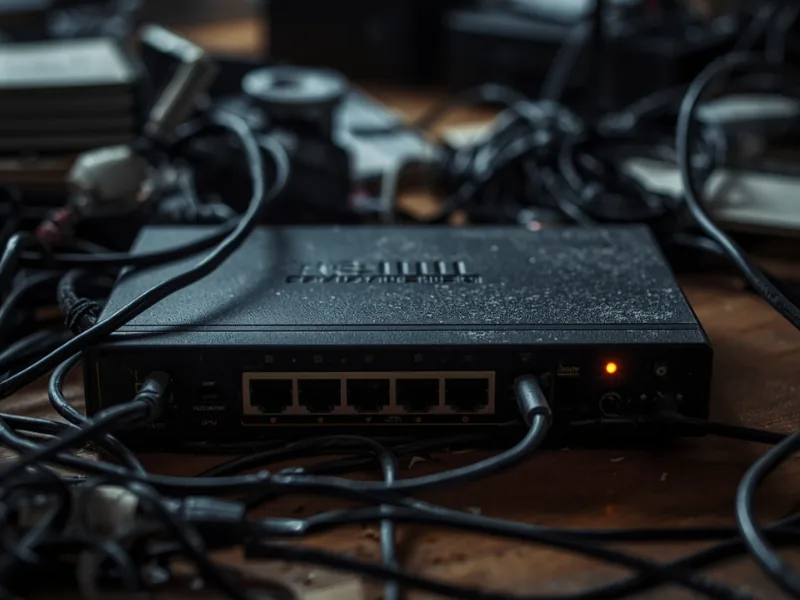
A hub is a basic Layer 1 device that broadcasts every incoming packet to all connected ports. Every device receives the data and decides if it was meant for them. This wastes bandwidth, creates collisions, and exposes all traffic to all devices on the segment.
What Is a Switch?
A switch is a Layer 2 device that learns MAC addresses and builds a MAC address table. When data arrives, the switch forwards it only to the correct destination port — not to everyone. This is called unicast forwarding.
Hub vs Switch: Quick Comparison
| Feature | Hub | Switch |
|---|---|---|
| OSI Layer | Layer 1 | Layer 2 |
| Data forwarding | Broadcasts to all ports | Sends to destination only |
| Bandwidth | Shared | Dedicated per port |
| Duplex mode | Half-duplex | Full-duplex |
| Security | Low | Higher |
| Speed | 10–100 Mbps | 10 Mbps – 100 Gbps |
| Status | Obsolete | Current standard |
Why Switches Win
Switches support full-duplex: devices send and receive simultaneously, doubling throughput. Hubs force half-duplex. Additionally, switches keep traffic between only the sender and receiver, improving security and performance as the network grows.
Managed vs. Unmanaged Switches
- Unmanaged: Plug-and-play, ideal for homes and small offices.
- Managed: Configurable with VLANs, QoS, and port mirroring — used in enterprise environments.
Conclusion
The hub vs switch debate has a clear winner. Always use a switch. Hubs are obsolete, inefficient, and a security liability in any modern network.
More in This Series
- What Is Ethernet? The Guide That Finally Makes It Click
- Coaxial Cable: What It Is and Why It’s Still in Your Home
- Ethernet Crossover Cable: When You Actually Need One
- Coaxial Cable: Complete Guide
- How to Reduce Network Latency: 7 Fixes That Actually Work
- What Is a Patch Cord? Types, Uses, and How It Differs from Other Cables
Hub vs Switch: Key Differences Explained
The core difference between a hub and a switch comes down to how they handle data. A hub broadcasts every packet to all connected devices — creating unnecessary traffic and slowing down your network. A switch is smarter: it learns which device is connected to each port and sends data only to the intended recipient.
This single difference has almost completely replaced hubs in modern networks. In most home and office setups today, you will only find switches — hubs are largely obsolete.
Hub vs Switch Comparison Table
| Feature | Hub | Switch |
|---|---|---|
| Data transmission | Broadcasts to all ports | Sends only to target device |
| Network efficiency | Low — creates collisions | High — no unnecessary traffic |
| Speed | Shared bandwidth | Dedicated bandwidth per port |
| Security | Poor — all devices see all traffic | Better — traffic is isolated |
| Layer (OSI model) | Layer 1 (Physical) | Layer 2 (Data Link) |
| MAC address table | No | Yes |
| Cost | Very cheap (mostly obsolete) | Affordable — widely available |
| Best for | Nothing modern | Home networks, offices |
How a Switch Works (And Why It Beats a Hub)
When a device sends data through a switch, the switch reads the destination MAC address in the packet header. It then checks its MAC address table — a record of which device is on which port — and forwards the packet directly to the correct port only.
A hub has no such intelligence. It receives a packet and immediately broadcasts it to every port simultaneously. Every device on the network receives the data, even if the packet was not intended for it. This creates collisions, wastes bandwidth, and reduces performance as more devices are added.
When Would You Actually Use a Hub?
In almost no modern scenario. Hubs were common in the 1990s when switches were expensive. Today, even budget switches cost under $15 and outperform hubs in every measurable way. The only remaining use case for a hub is network packet analysis — a hub allows a monitoring device to capture all traffic on the network, which a switch prevents by design.
Managed vs Unmanaged Switch: What Is the Difference?
Most home users need an unmanaged switch — plug it in and it works automatically with no configuration. An managed switch gives network administrators control over VLANs, QoS (Quality of Service), port mirroring, and traffic monitoring. Managed switches are used in enterprise networks, data centers, and advanced home lab setups.
Is a Router a Switch or a Hub?
Neither — but a home router usually contains a built-in switch. The router itself handles traffic between your local network and the internet (Layer 3). The LAN ports on the back of your router function as a small switch, connecting multiple local devices. When you need more than 4 LAN ports, you add an external switch.
Can I Replace a Hub with a Switch?
Yes — and you should. A switch is a direct drop-in replacement for a hub. Connect the same cables, power it on, and your network will immediately improve. No configuration is required for an unmanaged switch.