What Is Ethernet and How Does It Work?
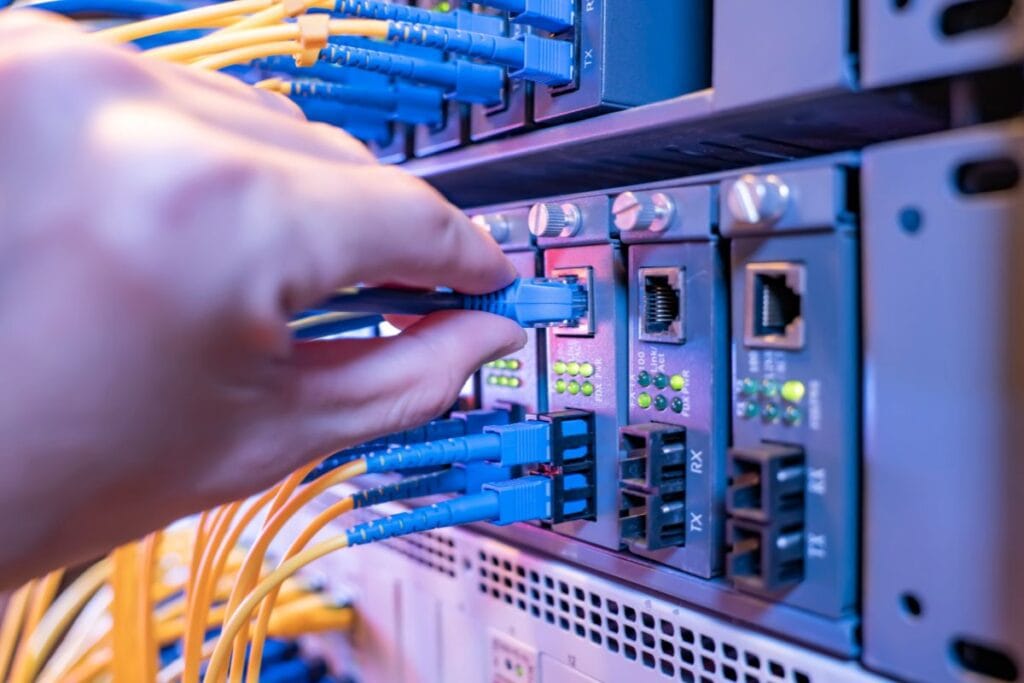
Ethernet is a way for devices to connect to the internet using a physical cable instead of wireless signals. The cable runs from your device like a laptop, desktop computer, or gaming console to your router or modem. Think of it like a highway for data. Wi-Fi is similar to sending information through the air like radio waves. Ethernet, on the other hand, sends data through a dedicated cable. That cable creates a direct path between your device and your network. This simple difference explains why wired connections are often more stable. If you plug a laptop into a router using an Ethernet cable and open youtube.com, the data travels through that cable instead of over the air. Your router then sends the request to the internet, receives the video data, and sends it back through the same cable to your device. This explanation simplifies how ethernet works, but the basic idea is straightforward: data moves through wires in small packets, traveling back and forth between your device and the network.How Ethernet Works (Without the Jargon)
Inside every Ethernet cable are small copper wires that carry electrical signals. These signals represent digital data. When your computer sends a request like opening wikipedia.org it breaks that request into tiny packets. Each packet travels through the cable to the router. The router forwards those packets to the internet, and the response comes back the same way. A helpful way to picture this is a mail system. Instead of sending one huge box, your computer sends many small envelopes. Each envelope travels through the cable, reaches its destination, and gets reassembled into the webpage you see on your screen. Modern operating systems like Windows, macOS, and Linux automatically manage this process. Once the cable is connected, the system handles the rest.Where Ethernet Is Commonly Used
A wired internet connection still plays a big role in many places. Homes often use Ethernet for desktop computers, smart TVs, or gaming consoles. Streaming a 4K movie on Netflix or downloading a large game from Steam can benefit from a stable wired link. Offices rely on Ethernet even more. Large networks with dozens or hundreds of computers connect through cables because reliability matters. Wi-Fi signals can weaken with distance or walls, but cables deliver consistent performance. Some devices still include Ethernet ports specifically for this reason:- Desktop computers
- Gaming consoles like PlayStation or Xbox
- Smart TVs and streaming boxes
- Network storage devices
Ethernet vs WiFi: What’s the Difference?
Both technologies connect devices to the internet, but they behave differently. The biggest difference is the transmission method. Ethernet uses cables. Wi-Fi uses radio signals. This leads to several practical differences.- Speed stability: Ethernet keeps consistent speeds because the signal travels through a cable instead of through walls and interference.
- Latency: Wired connections often respond faster, which matters in online games or video calls.
- Convenience: Wi-Fi works anywhere in range, while Ethernet requires a cable.
Benefits and Limitations of Ethernet
Ethernet has stayed relevant for decades because of its reliability. A wired connection avoids many of the problems wireless networks face. Thick walls, crowded apartment buildings, and nearby electronics can all interfere with Wi-Fi signals. With Ethernet, those issues disappear because the data travels through a physical path. Some clear advantages include:- Very stable connection with fewer interruptions
- Lower latency for gaming or video calls
- Faster speeds during large downloads or uploads
Common Myths About Ethernet
One common belief is that Ethernet is outdated technology. In reality, it remains the backbone of most modern networks. Offices, data centers, and internet providers rely heavily on wired networking because it’s dependable. Another myth is that Wi-Fi is always slower. In ideal conditions, modern Wi-Fi can reach very high speeds. The issue is consistency. Walls, distance, and interference often reduce real-world performance. Some people also think Ethernet is complicated to set up. In most homes, it’s as simple as plugging one end of a cable into your router and the other into your device.Why Should You Care?
Understanding what is Ethernet helps you solve everyday internet problems. If your Wi-Fi drops during video meetings or online classes, switching one device to Ethernet can instantly stabilize the connection. Many remote workers do this for Zoom or Google Meet calls because wired links reduce lag and interruptions. Gamers also rely on Ethernet to avoid sudden latency spikes during competitive matches. Knowing the difference between wired and wireless connections makes troubleshooting easier. When speeds slow down, testing an Ethernet connection helps determine whether the problem comes from your internet provider or from your Wi-Fi network. If you’re interested in improving network performance further, guides on router placement or Wi-Fi optimization can also help. Suggested visual: diagram comparing a wired Ethernet connection to a Wi-Fi signal path.FAQ
Why is Ethernet usually faster than Wi-Fi?
Ethernet avoids wireless interference. Wi-Fi signals travel through walls, furniture, and other devices using the same radio frequencies. A wired connection moves data through a dedicated cable, which keeps speeds consistent and reduces delays.Can you use Ethernet and Wi-Fi at the same time?
Yes. Most routers support both simultaneously. For example, a desktop computer can use Ethernet while phones and tablets stay connected through Wi-Fi. The router manages traffic from both types of connections.Do modern laptops still support Ethernet?
Some do, but many thin laptops removed the port to save space. USB-to-Ethernet adapters solve this problem easily. Once connected, the laptop works exactly like a device with a built-in Ethernet port.Conclusion
Ethernet remains one of the simplest ways to get a fast and reliable internet connection. By sending data through a cable instead of the air, it avoids many of the interruptions that affect Wi-Fi. If stability matters whether for work, gaming, or streaming plugging in a cable can make a noticeable difference.More in This Series
- What Is a Crossover Cable? (And Do You Actually Need One?)
- Ethernet Crossover Cable: When You Actually Need One
- T568A vs T568B: The Wiring Difference That Actually Matters
- Copper Wire in Networking: Why Every Ethernet Cable Depends on It
- Coaxial Cable: What It Is and Why It’s Still in Your Home
- Hub vs Switch: The Real Difference
- Difference Between a Hub and a Switch
- Loopback Address Explained
- 255.255.255.0: What That Number Means in Plain English
- 192.168.0.1 Not Working? Here’s Exactly Why and How to Fix It
- Coaxial Cable: Complete Guide
- How to Reduce Network Latency: 7 Fixes That Actually Work
- What Is a Patch Cord? Types, Uses, and How It Differs from Other Cables